Описание

 Features:
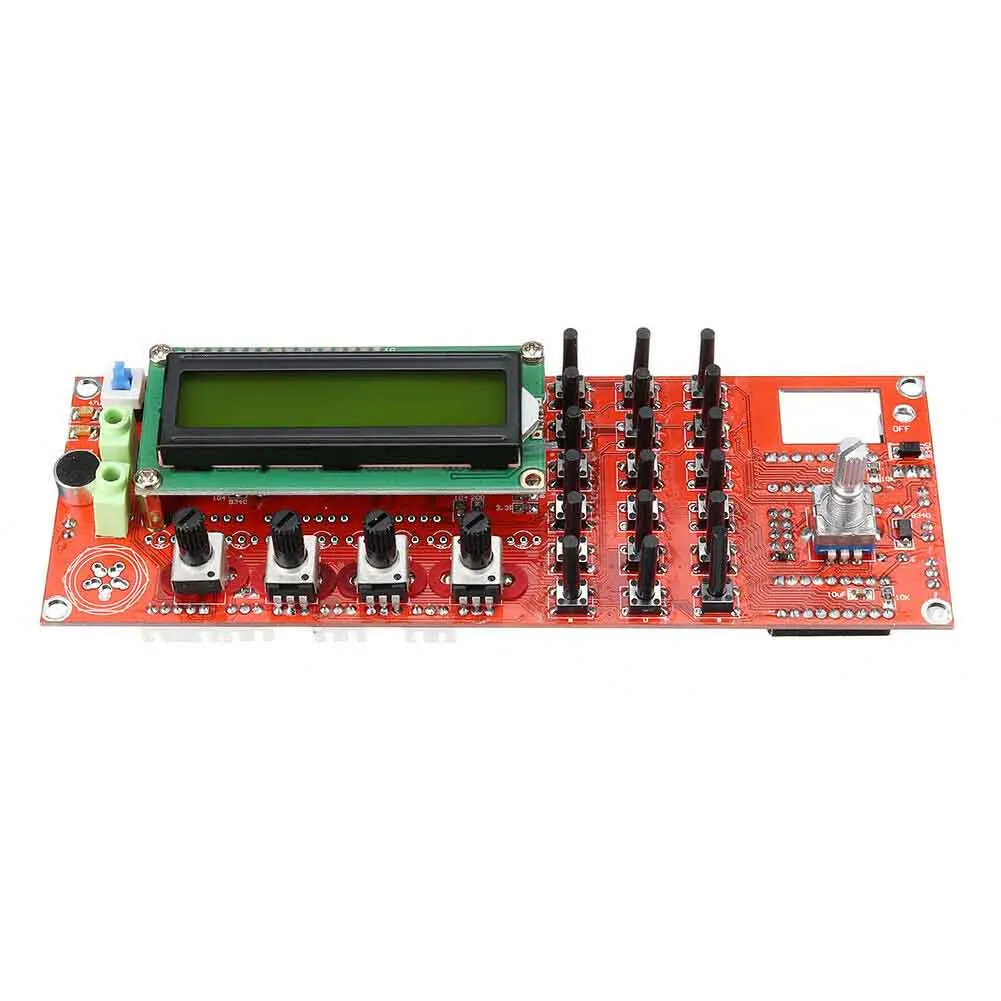
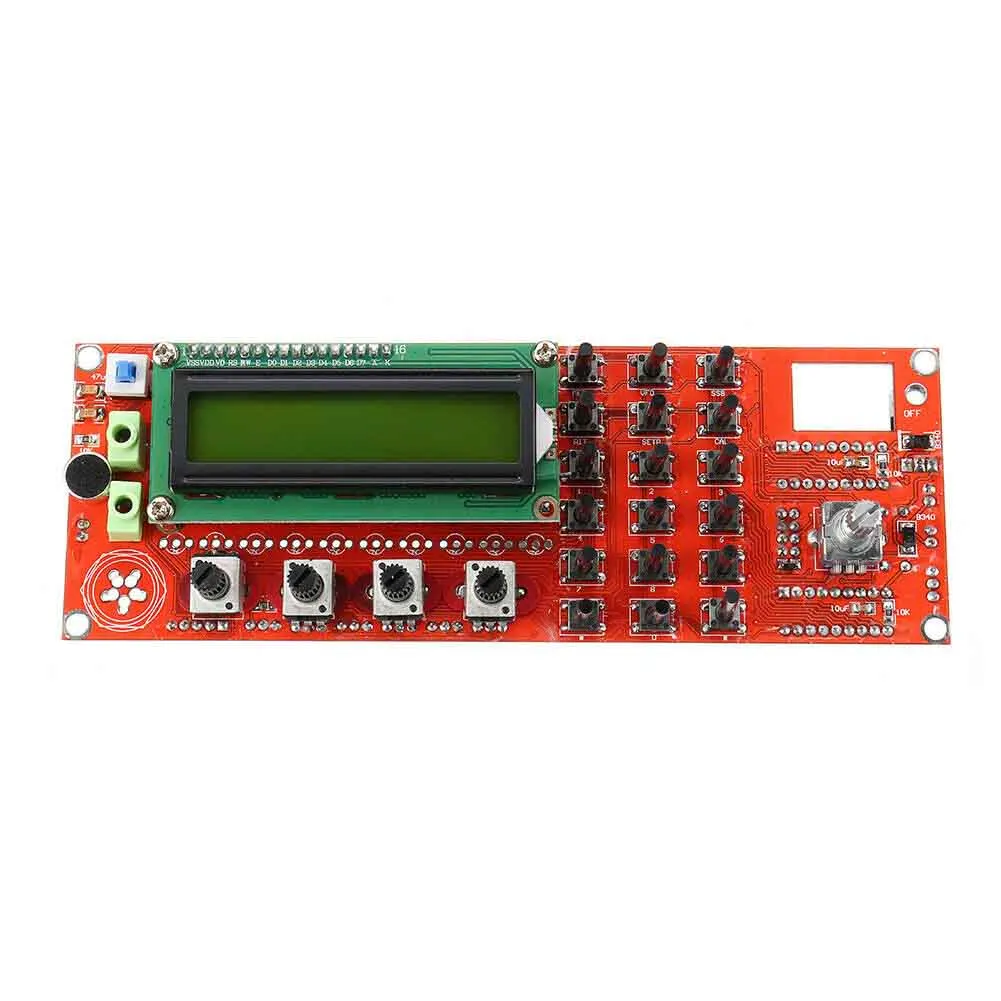
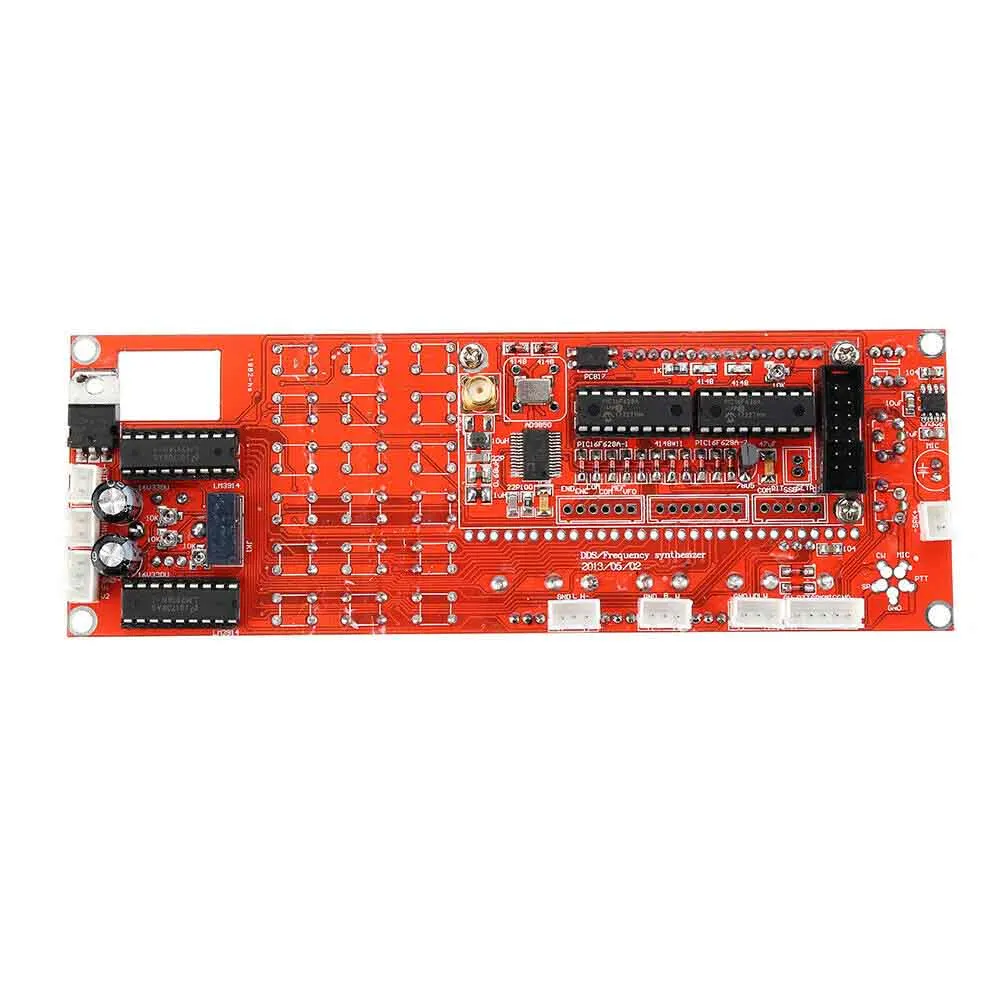
1. This is a 0~55MHz DDS Signal Generator. It is based on AD9850 chip and is very easy to operate.
2. Finished product, DDS, digital direct input frequency, with the volume potentiometer potentiometer,
amplifier acquire bandwidth potentiometer, AGC potentiometer, S - LED table display, a standing wave - LED table display.
3. Supports 0~55MHz continual adjust at 1Hz step.
4. Input: 12v. Output: 12v.
Specifications:
Material: PCB
Color: red
Input: 12v
Output: 12v
ENC: encoder switch
MEM: switch for memory mode
VFO: Transfer from VFO A to VFO B, or from VFO B to VFO A.
SSB: Working mode change: circulate from USB, LSB, AM, CW, and on and on
RIT: fine tuning to receiving frequency
CAL: set functions
KB-1 and KB-2 have common shared pin, but is not GND
Package Included:
1 PC x DDS Signal Generator
How to operate:
Press CAL, power on, then we enter setting screen. Let go/release CAL.
A: ENABLE 6XREFCLE: setting chip clock mode, adjust frequency encoding setting. AD9851 set to 6-multiply frequency,
AD9850 set to 1multiply frequency. Press CAL then quickly release to enter following step B.
B: DDS-SYSTEM-CLK: Chip working frequency setting. Use encoder switch to adjust value. Operate in accordance with STEP key.
AD9851 set at oscillator 6-multiply channel, AD9850 set at actual output of oscillator. Press CAL then quickly release to enter step C.
C: MIN_RX_DDS_FREQ:Setting minimum working frequency. Use encoder switch to adjust value and in accordance with STEP key.
Press CAL then quickly release to enter step D.
D: MAX_RX_DDS_FREQ:Setting maximum working frequency. Use encoder switch to adjust value and in accordance with STEP key.
(Smaller than 60MHz would be OK ). Press CAL then quickly release to enter step E.
E: SSB_OFFSET:Fine tuning for SSB working mode. Use encoder switch to adjust value and in accordance with STEP key.
Press CAL then quickly release to enter step F.
F: CW_OFFSET:Fine tuning for CW working mode. Use encoder switch to adjust value and in accordance with STEP key.
Press CAL then quickly release to enter step G.
G: OFFSET_FREQ:Setting of offset Frequency. e.g, set to 9MHz or 10.7MHz, use encoder switch to adjust value and in accordance with STEP key.
Press CAL then quickly release to enter step H.
H: MULTIPLIER: multiply setting for frequency. Should be set as 1, press CAL then quickly release to enter step I:
I: Screen displayes word "SAVE", automatically save the above setting, and returns to normal working.
Notes:
1. DDS SYSTEM CLK: can use frequency tester to get 30MHz oscillator, multiply the tested value at 6, then put the multiplied value here.
If using AD9851, make initial setting at 180000000.
2. OFFSET FREQ: can be set as + or - . Rotate encoder switch to change value, press STEP key, then rotate encoder switch to adjust step.
Minimum working frequency plus (+) offset frequency should be high than 0 (zero).
Frequency display:
RX = MULTIPLIER x (RX_DDS_FREQ + OFFSET_FREQ)
TX = MULTIPLIER x (RX_DDS_FREQ + OFFSET_FREQ + TX_OFFSET_FREQ)
The frequency programmed into the DDS, is calculated as shown below.
RX = ABS(RX_DDS_FREQ)
TX = ABS(RX_DDS_FREQ + TX_OFFSET_FREQ)
RX_DDS_FREQ, MIN_RX_DDS_FREQ, MAX_RX_DDS_FREQ, TX_OFFSET_FREQ & OFFSET_FREQ
Note:
1. Due to the light and screen difference, the item's color may be slightly different from the pictures.
2. Please allow 0.5-2 cm differences due to manual measurement.




Отзывы
1. If you don't satisfied our porducts, pls contact us before you leave negative feedback. We guarantee we will 100% slove any problem for you.
SHIPPING
1. Время подготовки: нам нужно3-7 рабочих днейЧтобы подготовить ваш заказ, не обращайте внимания, сколько дней обработки остается.
2. There is no limitied Order/Value in our store. We offer free shipping worldwide for any quantity and any value
3. Доставка APO/FPO/DPO
We apologize that P.O. Boxes and military addresses (APO, FPO) cannot be delivered.
Возврат стоимости и обмен
We have a QA team to test your ordered products are functioning correctly before they are packed and sent to you. But you do need to confirm your dress size carefully before buying (a size measurement will be show below each items).
Atten: мы не можем принять обмен или отмену после того, как ваш заказ был отправлен.
The following information is required when you reflect the problem:
---- Номер заказа
----Image/video of defective beads.
Если у вас есть какие-либо вопросы относительно политики возврата, пожалуйста, не стесняйтесь обращаться к нам!
OUR GUARANTEE
Если вы не на 100% удовлетворены качеством своей покупки, вы можете вернуть или обменять свои товарыВ течение 30 днейС даты доставки.
Request:
1. Товары, полученные в течение 30 дней с даты доставки.
2. Items received unused, undamaged and in original package.
3. Стоимость обратной доставки была оплачена покупателем.
Характеристики
- Бренд
- Woopower
- Материалы для самостоятельного изготовления
- Электрический
- Размер дисплея
- 3.0-4.9 Дюйм(ов)
Сопутствующие товары